Surveillance reports that connect themselves.

Sentinel Keep is reporting software for casino surveillance teams. Every person and place an operator names becomes a link to its record.

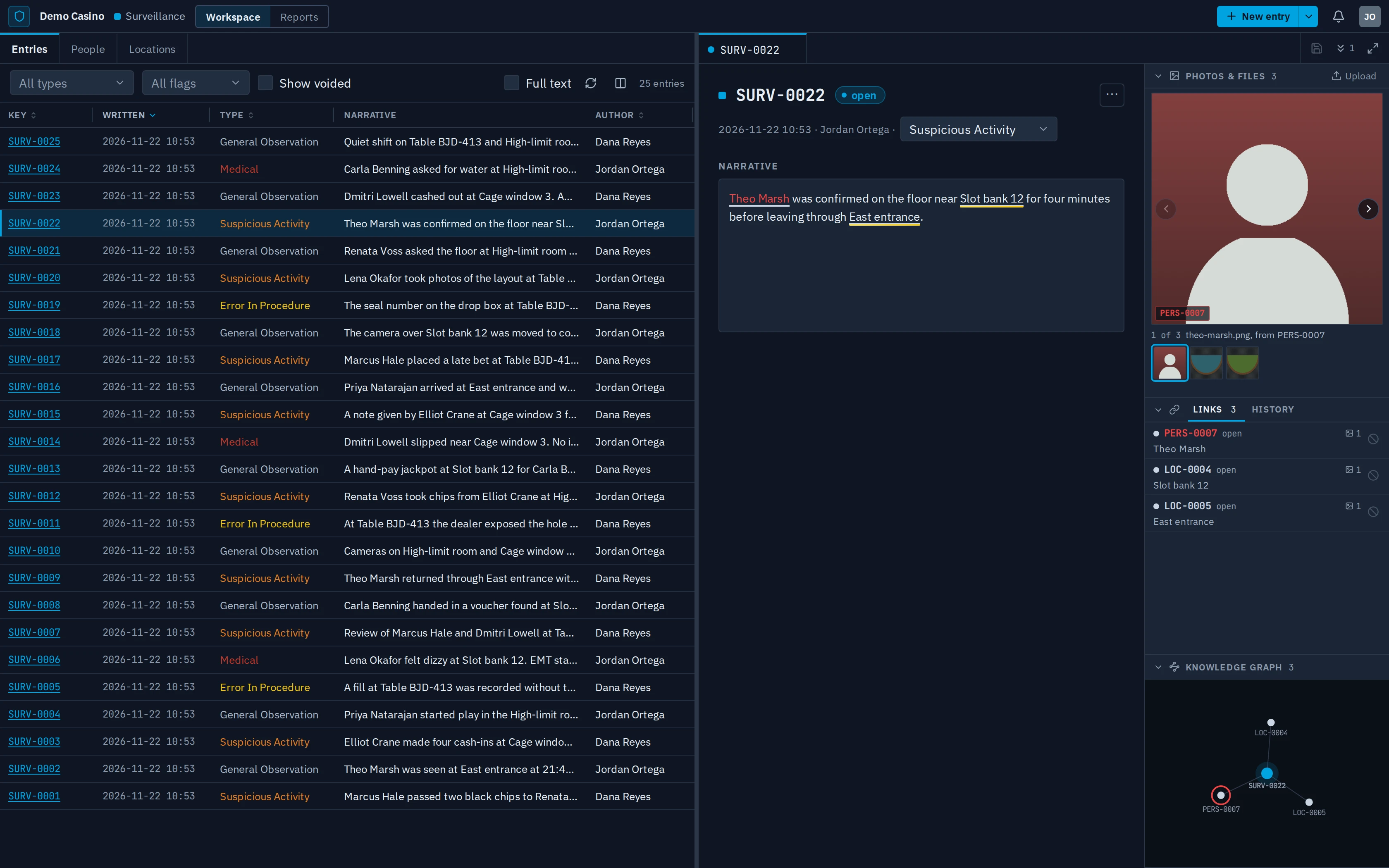
The Sentinel Keep Workspace: a list of surveillance entries on the left, and one entry open on the right with its narrative, linked photos, links and a small graph.
The Workspace. Example data.

Write it once. The links follow.

Type a name and Sentinel Keep recognises the person or place. Confirm it, and the report links to that record. Reports save as you write.

Two names typed in a report are recognised and become links to the people's records. Their photos join the entry.

Tagging a name in a report. Example data.

The pointer rests on a name in the links list, and its photo, its row and its graph dot light up together. Then a hover card opens, marked as a state exclusion.

The right panel beside an entry. Example data.

Everything about the entry, beside it.

Photos of each linked person and place, the linked records, the history and a small graph, next to every report. Point at a name and all of them light up. State exclusions show in red.
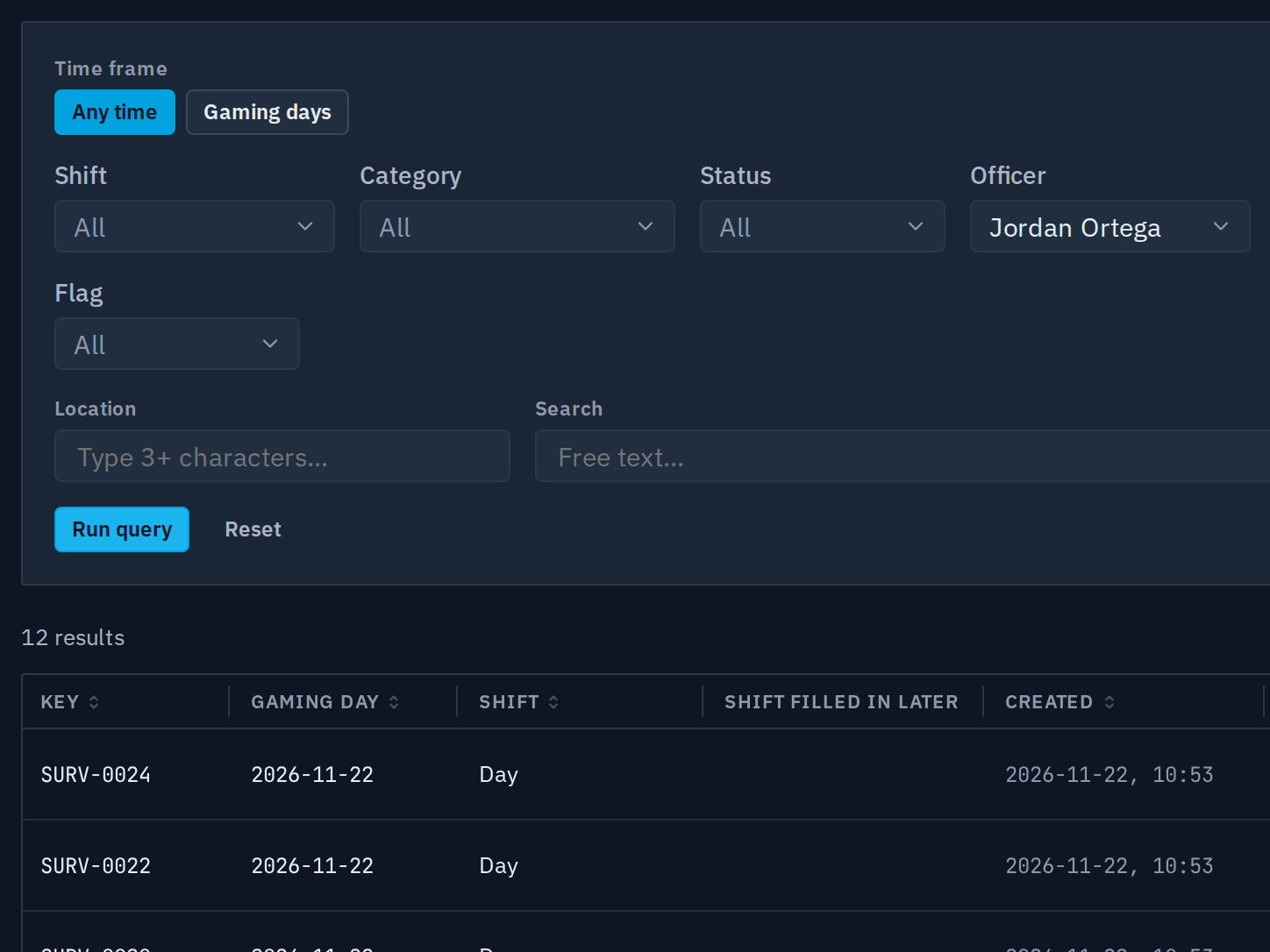
The surveillance report's filters: time frame, shift, category, status and officer, with the officer set to one name, above the first results.
The surveillance report. Example data.

Find the entries you need, and export them.

Filter surveillance entries by gaming day, shift, officer or location, then export them to a spreadsheet. Every export is recorded.

What comes next

Surveillance is first. The other teams on the floor join the same record, one at a time.

Modules
  1. In developmentSurveillance
  2. PlannedSecurityIncidents and ejections.
  3. PlannedComplianceSealed from every other team.
  4. PlannedRisk & SafetyHazards and injuries.
Across every module
  • Microsoft sign-in
  • Import past reports from the system you use today
  • Live alerts to the people who need them

Sentinel Keep is in development.

For early access, write to hello@sentinel-keep.com.

Request early access